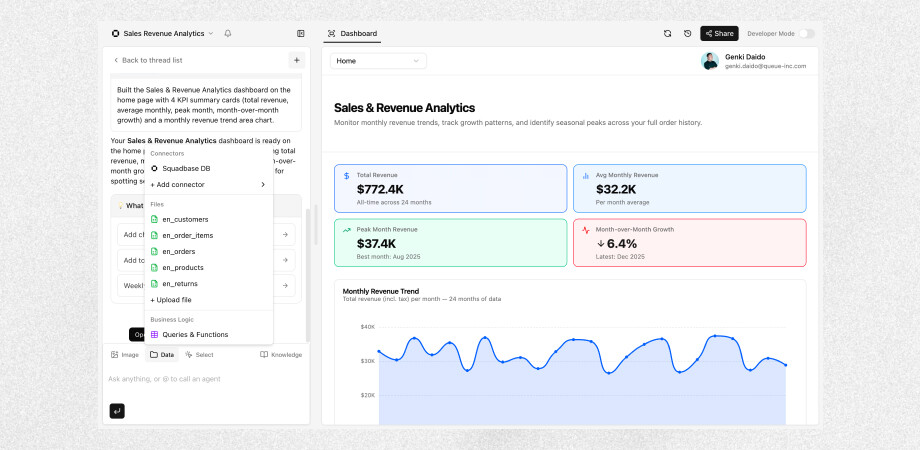
Based on feedback from our users, we’ve updated the Editor UI to make dashboard building feel more intuitive.
Here’s what’s changed:
-
Project settings moved to the top-left: Click the project name to open a dropdown with the settings.
-
Data-related actions consolidated into the “Data” section in the chat area
-
View data stored in Squadbase DB
-
Add connectors and files
-
Review and edit Business Logic (query and function definitions)
-
-
Knowledge management also consolidated into the chat area: The background knowledge that Squadbase AI references when building dashboards can now be reviewed and edited from the “Knowledge” section in the chat area.
-
Preview refresh button and Developer Mode toggle moved to the top of the screen: Both are now accessible from the top of the preview area.
See other update here.